
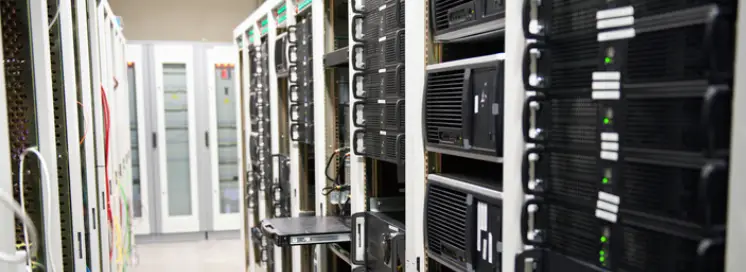
It's been in the closet for years. The room is warm. The fan runs constantly. Nobody remembers exactly when it was installed, but it's been reliable, more or less. The business runs on it: files, email, accounting data, client records. And every day it stays in service, the risk of a catastrophic failure that takes everything down with it gets a little higher.
The Server Nobody Talks About Until It Fails
In a typical small or mid-sized business, the server exists in a specific kind of organizational blind spot. It was expensive when it was purchased. It was disruptive when it was installed. And since then, it has simply existed in the background, doing it’s job without any future consideration. People interact with the files and applications on it every day without thinking about the machine itself, the same way they use the building's electrical system without inspecting the breaker panel.
That forgotten hardware becomes a risk when the server is five, seven, or ten years old. Hardware that was enterprise-grade when it was deployed doesn't remain enterprise-grade forever. Components degrade. Warranties expire. The operating system falls out of support. And because everything appears to work, the business continues relying on a machine that is simultaneously the most critical system in the environment and the one closest to failure.
Industry research consistently shows that server hardware failure rates begin climbing significantly after year five, with failure probability increasing roughly 12% annually beyond that point. For a server installed in 2019 or earlier, the question isn't whether it will eventually fail. It's whether the business is prepared when it does.
What's Actually Running on That Machine
Most businesses underestimate how much depends on a single aging server. A typical small-business server handles multiple roles simultaneously, and each one carries weight on its own.
File storage is usually the most visible role. The server holds every document, spreadsheet, contract, plan set, photo, and project file the business has created over its lifetime, which often represents the firm's entire operational history. Sitting alongside that storage is application hosting. Line-of-business software, including accounting packages, practice management systems, time tracking tools, and databases, frequently runs on or connects to the local server.
The server typically runs Active Directory as well, the directory service that controls user authentication, permissions, group policies, and network resource access for every device in the office. Firms still running on-premises Exchange depend on the same hardware for every piece of business communication. The server often serves as the backup target too, which means it's both the system being backed up and the device receiving backups from workstations, creating a single point of failure for both production data and recovery capability. Print queues, scanner destinations, and shared device configurations usually route through it as well.
When this machine fails, it doesn't take down one application. It takes down the majority of the firm's technology operations at once.
The Security Exposure You Can't Patch Away
An aging server carries security risks that escalate with every year of service, many of which cannot be resolved without replacing the hardware:
Windows Server 2012 R2 reached end of extended support in October 2023. Windows Server 2016 ends extended support in January 2027. Servers running these operating systems receive no further security patches unless the organization purchases expensive Extended Security Updates. Once patching stops, every newly discovered vulnerability remains permanently exploitable.
Microsoft's data shows that unpatched servers are involved in 60% of successful network breaches targeting small businesses. Attackers actively scan for systems running unsupported operating systems because they know those machines cannot be defended.
Server firmware, BIOS, management controllers (iLO, iDRAC), and storage controller drivers all require updates to address security vulnerabilities. Manufacturers stop releasing firmware updates for hardware beyond its supported lifecycle. A server out of support carries vulnerabilities at the hardware level that no operating system patch can address.
Modern endpoint detection and response (EDR) platforms, zero-trust security tools, and advanced monitoring agents require minimum operating system versions and hardware capabilities. Servers too old to run these tools operate without the detection capabilities that catch intrusions before they spread.
Modern servers include hardware-based encryption (TPM 2.0), secure boot chains, and hardware root-of-trust features that prevent firmware-level attacks. Servers from 2018 and earlier often lack these capabilities entirely, meaning certain categories of attacks simply cannot be prevented on that hardware regardless of software configuration.
According to the Sophos 2025 State of Ransomware Report, 32% of ransomware attacks begin by exploiting an unpatched vulnerability. For organizations running servers on unsupported operating systems, these vulnerabilities accumulate permanently with no path to remediation short of replacement.
The Failure Scenario Nobody Plans For
When an aging server fails, the impact is immediate and comprehensive. Unlike a workstation failure that affects one employee, a server failure affects everyone:
Complete operational shutdown. If the file server is down, nobody can access documents. If Active Directory is down, nobody can log in to anything. If the application server is down, the business can't invoice, can't bill, can't track projects, can't process transactions.
Extended recovery timeline. Replacing a failed server isn't a same-day operation. Hardware must be procured (often with multi-day lead times for business-grade equipment). The operating system must be installed. Applications must be reinstalled and configured. Data must be restored from backup, assuming the backup is current and functional.
For businesses without a current, tested backup, a server hard drive failure can mean permanent data loss. Research from Ontrack found that 42% of organizations have experienced unrecoverable data loss at some point, with aging storage hardware being a leading cause.
Recovery costs dwarf replacement costs. The emergency labor, expedited hardware shipping, extended downtime, and potential data recovery services following an unplanned server failure typically cost three to five times more than a planned, scheduled replacement would have. Industry estimates put unplanned server failure recovery at $10,000 to $50,000 for small businesses when factoring in downtime, emergency services, and lost productivity, compared to $5,000 to $15,000 for a planned migration to new infrastructure.
The Warranty Gap Most Firms Ignore
Server manufacturers like Dell and HPE typically provide three to five years of warranty coverage on business servers. That warranty includes next-business-day or four-hour hardware replacement for failed components: drives, memory, power supplies, and motherboards.
Once the warranty expires, a hardware failure means:
- No guaranteed parts availability (components may be discontinued)
- No service-level agreement for repair timeline
- Full responsibility for sourcing compatible replacement parts
- Extended downtime while parts are located and installed
- No assurance that the repair will hold given the age of surrounding components
A server hard drive that fails under warranty gets a replacement shipped overnight at no cost. The same failure on an out-of-warranty server means finding a compatible drive (which may no longer be manufactured), paying retail or aftermarket pricing, and potentially waiting days for delivery. And once one component in a seven-year-old server fails, the statistical likelihood of additional component failures accelerates.
The Cloud Question
Many businesses ask whether the right answer is to replace the server or eliminate it entirely by moving to cloud infrastructure. The answer depends on the business:
Cloud-appropriate workloads include email (Microsoft 365), file storage and collaboration (SharePoint, OneDrive), and many modern line-of-business applications that now offer cloud-hosted versions.
Workloads that may still require local infrastructure include legacy applications that don't have cloud equivalents, environments requiring low-latency local file access (large CAD files, media production), and specific compliance scenarios requiring on-premises data control.
For many small businesses, the optimal answer is a hybrid approach: move what can move to the cloud, maintain minimal local infrastructure for what can't, and eliminate the single-point-of-failure server closet entirely.
The determination of which path is right requires understanding what's currently running on the server, what dependencies exist, what applications can migrate, and what the transition timeline and cost look like. That assessment should happen on the firm's timeline, as a planned project, not as an emergency after a failure.
What Proactive Server Management Looks Like
Organizations that avoid catastrophic server failures treat server infrastructure as a managed lifecycle:
Continuous monitoring of drive health (SMART status), temperature, memory errors, power supply status, and storage capacity. Early warning indicators are flagged and addressed before they become failures.
When monitoring indicates a component is approaching failure (predictive drive failure, increasing memory errors, power supply degradation), the component is replaced proactively during a scheduled maintenance window rather than reactively after a crash.
Servers are budgeted for replacement on a four-to-five-year cycle, while still under warranty and before entering the high-failure-rate zone. Replacement is a planned project with defined timelines, tested migrations, and verified data integrity rather than an emergency scramble.
Backup integrity is verified through scheduled test restores, confirming that a full recovery is possible if needed. The backup covers all critical systems and data, not just the files someone remembered to include.
The configuration of the server, including installed applications, service accounts, network settings, and dependencies, is documented and maintained. If the server fails or needs replacement, this documentation eliminates the discovery process that extends downtime.
A managed IT provider handles this entire lifecycle: monitoring the hardware daily, alerting on early failure indicators, planning replacement on a predictable schedule, executing the migration, and verifying that everything works before decommissioning the old system.
Knowing Where You Stand
If your server is more than five years old, if it's running Windows Server 2016 or earlier, if the warranty expired and nobody renewed it, or if nobody has tested a full restore from backup in the past six months, the risk is real and it's accumulating.
A Network Discovery maps exactly where you stand: what hardware you're running, how old it is, what operating system version is installed, what warranty status it carries, what's stored on it, and what your recovery capability looks like if it fails tomorrow. From that baseline, you can make a clear-eyed decision about replacement timeline, migration path, and budget, on your terms rather than the hardware's.
Ready to take the next step? Contact the Connecting Point team today to discuss your organization's needs.
Fill out our Network Discovery Form to get started!
970.356.7224 | www.CPcolorado.com | sales@CPcolorado.com
Connecting Point is a trusted IT solutions provider based in Greeley, Colorado, helping businesses across Northern Colorado and beyond navigate technology decisions with confidence.